

Find a missing Shopify order
Check the request, connection, and payment before retrying.
A successful Shopify customer payment does not prove Roastify received the order. Shopify must send a fulfillment request for the connected Roastify items, and Roastify needs payment for production and shipping.
Check in this order
- Order and items: find the paid Shopify order and identify its actual Roastify products.
- Connection: confirm the intended Shopify store appears in Roastify Integrations.
- Variants: check the original Roastify SKUs and Roastify fulfillment location.
- Request: check whether Shopify sent a fulfillment request. A “Fulfilled” label alone is not proof of a Roastify shipment.
- Roastify records: look under Orders and Settings > Billing for the order, payment, or error.
With manual fulfillment, send the request only when you are ready to release the order and have confirmed it was not already received. If the outcome is unclear, contact support before retrying, reversing fulfillment, or creating a wholesale replacement.
Turn on automatic fulfillment for future orders
In your Shopify admin, open Settings > General, scroll to Order processing, select Automatically fulfill the order's line items under After an order has been paid, and click Save. See the setting and full setup steps.
This setting applies across your store. If you also ship your own products or need to review each order, keep manual fulfillment and request only the Roastify items below. If Shopify payment capture is manual, payment must be captured before automatic fulfillment can start.
Changing this setting does not confirm that an existing missing order reached Roastify. Check that order separately before sending a request.
Send a missing fulfillment request
Use this when the Roastify order is absent and Shopify confirms that no fulfillment request is already pending or accepted.
- In Shopify > Orders, open the paid order.
- Find the unfulfilled items assigned to the Roastify location and choose Request fulfillment.
- Review the items, then select Send fulfillment request when you are ready for the fulfillment charge and production.
- Check the Shopify order timeline for the response and confirm the order appears in Roastify > Orders.
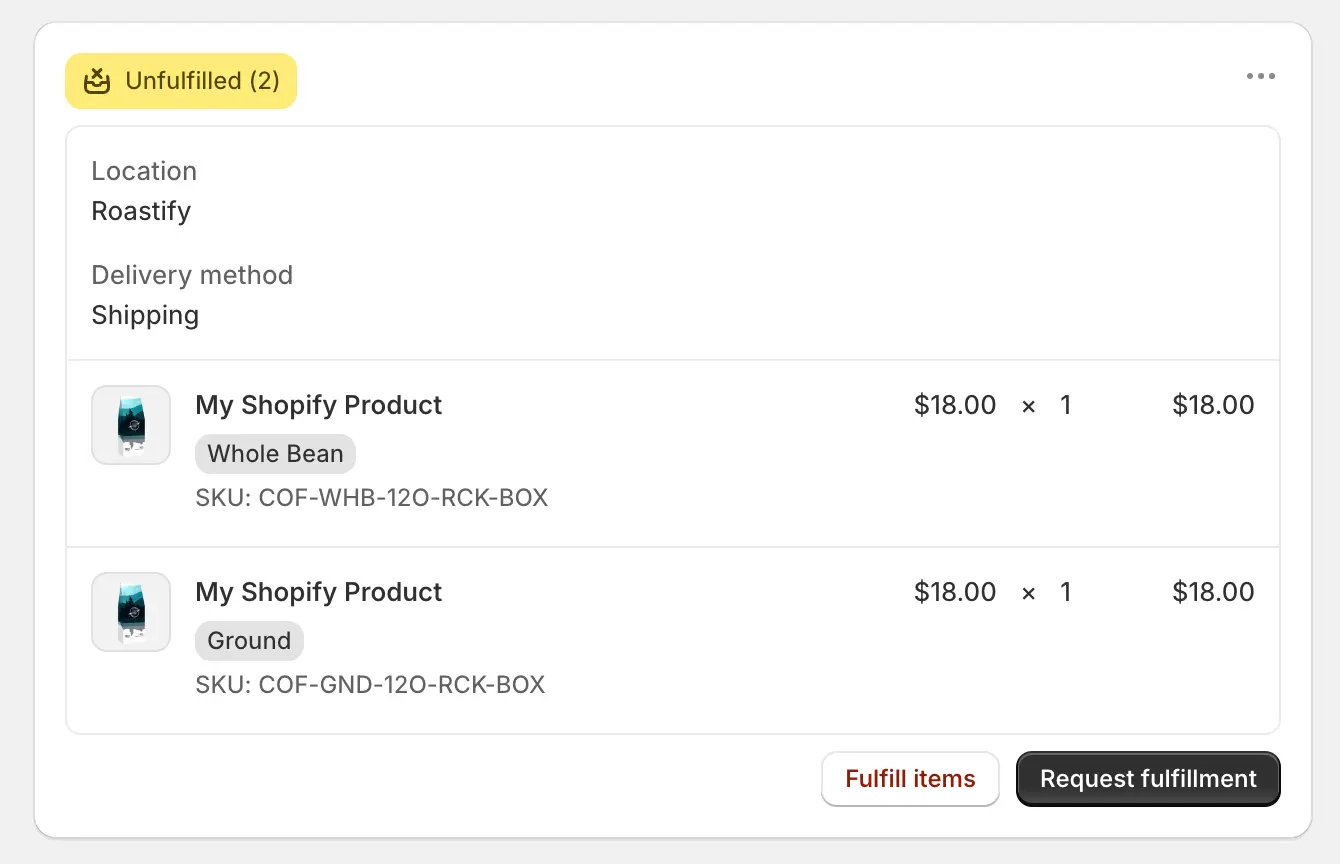
If the request is declined, read the exact reason in the Shopify order timeline. Check the affected Roastify SKUs, fulfillment assignment, and payment method under Settings > Billing. If it is already pending or accepted, or the result is unclear, contact support before sending it again.
Why is Roastify charging me after my customer paid?
Your customer pays your Shopify checkout. Roastify separately charges for the coffee, packaging, and fulfillment shipping. Your Base or Pro subscription is another separate charge. Roastify does not use your Shopify payout to pay for the coffee.
Bundles, subscriptions, or mixed orders
Roastify needs its individual connected SKUs and quantities. Confirm that your bundle or subscription app sends those items on initial and renewal orders. Roastify fulfills its own items in a mixed order.
Send a complete support report
Include the store address, Shopify order number, Roastify order number if present, affected SKUs, error, and fulfillment-request status. For a payment issue, include the date and amount, never full card details.
A Shopify refund or status change does not automatically stop production. Request order changes directly.